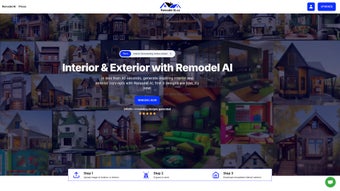

Download Remodel AI – AI Home Design Software, Free Trial, Secure Rendering
Overview: Why Remodel AI Is Changing the Way We Visualize Home Projects
In the crowded world of interior‑design tools, Remodel AI stands out by marrying the power of artificial intelligence with an intuitive web interface. Whether you are a seasoned architect, a DIY homeowner, or a property manager looking for quick visual concepts, this platform promises to generate professional‑grade interior and exterior renders in seconds. The core value proposition is simple: upload a photo of your space, select a style preference—such as modern, rustic, or sustainable—and let the algorithm produce multiple design options that are instantly downloadable. This speed eliminates the traditional back‑and‑forth with designers, reduces cost, and empowers users to experiment without committing to expensive renderings upfront.
Beyond aesthetics, Remodel AI supports a wide range of building types, from single‑family houses and high‑rise apartments to commercial storefronts and hospitality venues. The flexibility is built into the subscription model, which offers weekly, monthly, or one‑time payment plans. Each tier guarantees a fixed number of renders, with transparent pricing and no hidden fees. Users can cancel at any time, and the moment a purchase is confirmed, the digital assets become available for immediate download—an essential feature for tight project timelines. Security is another focus; all uploads are processed over encrypted connections, and the platform complies with GDPR standards, ensuring that personal data and property images remain private.
The user experience is further enhanced by a built‑in library of customizable elements: furniture packs, lighting presets, material swatches, and landscaping options. These assets can be mixed and matched across different renders, allowing homeowners to explore “what‑if” scenarios—like swapping a wooden floor for reclaimed concrete or testing a green roof on a commercial façade. In short, Remodel AI provides a rapid, secure, and cost‑effective solution for visualizing home renovations, making it a compelling addition to any design toolbox. Moreover, the platform continuously learns from each interaction, refining its suggestions to align more closely with a user’s evolving taste, which means the longer you use it, the more personalized the outcomes become.
Finally, the service integrates seamlessly with popular project‑management tools such as Trello, Asana, and Basecamp via webhooks, allowing teams to attach rendered images directly to tasks or milestones. This level of integration reduces the friction of moving assets between applications and keeps stakeholders on the same page throughout the design‑to‑construction pipeline. Whether you are preparing a client presentation, pitching to investors, or simply visualizing a weekend renovation, Remodel AI equips you with the visual confidence needed to make informed decisions quickly.
Key Features That Set Remodel AI Apart
- AI‑Generated Renders in Seconds: Upload an image and receive up to ten distinct design concepts within 30 seconds.
- Multi‑Style Library: Choose from modern, rustic, minimalist, sustainable, and many niche aesthetics.
- Cross‑Platform Web App: No download required; works on Windows, macOS, Linux, Android, and iOS browsers.
- Flexible Subscription Plans: Weekly, monthly, or one‑time payment options with a clear render count per tier.
- Instant Asset Delivery: Render files (high‑resolution PNG, JPEG, and optional 3D OBJ) are available for immediate download after purchase.
- Secure Cloud Processing: End‑to‑end encryption and GDPR‑compliant storage protect your property images.
- Customization Toolkit: Drag‑and‑drop furniture, lighting, material palettes, and landscaping elements into any generated scene.
- Version History & Export: Keep track of revisions, compare iterations, and export a PDF portfolio for client presentations.
- AI‑Powered Style Matching: The system learns your preferences after the first few uses, offering increasingly tailored suggestions.
- Customer Support & Community Gallery: Access a knowledge base, live chat, and a user‑generated gallery for inspiration.
Each feature is built to streamline the remodeling workflow. For instance, the AI‑Powered Style Matching algorithm analyses the color schemes, spatial proportions, and material choices you favor, then biases subsequent renders toward those patterns—saving you time on endless manual tweaking. The Customization Toolkit works like a lightweight version of SketchUp or Revit, but without the steep learning curve; you can simply click a sofa icon and place it anywhere on the floor plan. Meanwhile, the Instant Asset Delivery ensures that stakeholders—whether contractors, investors, or family members—receive polished visuals within minutes, accelerating decision‑making and reducing the risk of costly redesigns later on.
Another standout is the Version History & Export capability. Every time you modify a render, the system automatically saves a snapshot, allowing you to revert to previous versions or showcase a progression of design ideas during client meetings. The export function supports both high‑resolution image formats for print‑ready presentations and PDF compilations that can be emailed directly from the platform. This eliminates the need for third‑party tools and keeps the entire workflow contained within a single, secure environment.
The Customer Support & Community Gallery also adds tangible value. Users can browse a curated collection of real‑world projects submitted by other members, gaining inspiration and practical tips on how to apply certain materials or lighting schemes. If a question arises, the live chat operates 24/7, and the knowledge base offers step‑by‑step guides, video tutorials, and troubleshooting articles. Together, these features create a holistic ecosystem that not only delivers stunning visuals but also supports users throughout the entire design lifecycle.
Installation, Usage, and Compatibility: Getting Started in Minutes
Step‑by‑Step Installation (No Software Download Required)
Because Remodel AI is a cloud‑based service, there is no traditional installation process. To begin, navigate to remodelai.com using any modern browser (Chrome, Firefox, Safari, Edge). Create an account by providing an email address and a secure password.
After confirming your email, you’ll land on the dashboard where the “Upload Image” button awaits. Drag‑and‑drop a photo of your interior or exterior, select the building type (house, apartment, commercial), and choose a style from the dropdown menu. The AI engine then processes the image on secure servers and returns a gallery of renders within 30 seconds.
How to Use the Customization Toolkit
Once the initial renders appear, you can click any thumbnail to open the editor. The left‑hand panel contains tabs for Furniture, Lighting, Materials, and Landscaping. Each tab showcases a searchable library of assets; you can filter by style, brand, or sustainability rating.
To replace a piece of furniture, simply drag the new item onto the scene and drop it where you want it. The AI automatically adjusts perspective and shadows, preserving realism. When you’re satisfied, click “Export” to download high‑resolution files or generate a PDF portfolio for client review.
The toolkit also includes a “Smart Adjust” feature that analyses the lighting direction of the original photo and recalculates shadows for any added objects, ensuring that the final composition feels cohesive. For material changes, you can select from a palette of finishes—matte, glossy, textured, or even eco‑friendly options—and instantly see how the surface reacts under different lighting conditions. This level of instant feedback dramatically reduces the number of iterative cycles typically required in conventional design software.
Operating System Compatibility (itemprop="operatingSystem")
Since the platform runs entirely in the browser, it is compatible with virtually all operating systems:
- Windows 10/11 (Edge, Chrome, Firefox)
- macOS 12+ (Safari, Chrome, Firefox)
- Linux distributions with modern browsers
- Android 9+ (Chrome, Firefox)
- iOS 13+ (Safari, Chrome)
This cross‑platform accessibility means you can start a design on a desktop, continue tweaking on a tablet during a site visit, and finalize on a phone while discussing options with a contractor. All changes sync in real time, ensuring every device displays the latest version of your project. For teams that operate in mixed‑OS environments, this eliminates the need for costly licensing or compatibility testing, allowing every member to contribute from their preferred device.
Additionally, the service offers an optional offline “preview mode” for users who need to view previously generated renders without an active internet connection. While new renders cannot be generated offline, the cached assets remain fully functional, enabling presentations in locations with limited connectivity, such as remote construction sites or client meetings in the field.
Pros, Cons, and Frequently Asked Questions
Pros (itemprop="offers")
- Lightning‑fast AI rendering saves time and money.
- No software download; works on any device with a browser.
- Transparent subscription plans with no hidden fees.
- Secure, GDPR‑compliant cloud processing protects privacy.
- Extensive style library and customization toolkit.
- Instant download of high‑resolution assets for presentations.
- Version history lets you track changes and revert when needed.
- 24/7 live chat and comprehensive knowledge base.
- Community gallery provides real‑world inspiration.
- Integration with project‑management tools streamlines workflow.
Cons
- Reliant on a stable internet connection; offline use is not possible for new renders.
- Advanced 3D modeling features are limited compared to dedicated CAD software.
- Subscription cost may be higher for users needing a large number of renders.
- AI suggestions can occasionally produce unrealistic material combinations, requiring manual adjustment.
- Learning curve for users unfamiliar with AI‑driven design concepts.
FAQ (itemprop="review")
How secure is my uploaded property image?
All uploads are encrypted with TLS 1.3 and stored on GDPR‑compliant servers. Images are automatically deleted from the server 48 hours after the render is generated unless you choose to save them in your account library.
Can I use Remodel AI for commercial projects?
Yes. The platform supports commercial building types such as retail storefronts, office spaces, and hotels. You may need a higher‑tier subscription to access the larger render quota required for multiple storefront concepts.
What file formats are available for download?
Renders are provided as high‑resolution PNG and JPEG files. For 3D‑compatible workflows, you can also export OBJ files with accompanying MTL material definitions.
Is there a free trial or demo version?
Remodel AI offers a 3‑render free trial for new users. No credit card is required; simply sign up and upload an image to test the AI engine before committing to a paid plan.
How do I cancel my subscription?
Log into your account, go to the “Billing” tab, and click “Cancel Subscription.” The cancellation takes effect at the end of the current billing cycle, and you retain access to any renders generated during that period.
Can I integrate Remodel AI with my existing project‑management tools?
Yes. Remodel AI provides webhooks and API endpoints that connect directly with Trello, Asana, Basecamp, and Monday.com, allowing you to attach rendered images to tasks automatically.
Conclusion & Call to Action: Transform Your Space with Remodel AI Today
Remodeling a home or commercial property has never been as fast, affordable, and visually compelling as it is with Remodel AI. By leveraging cutting‑edge artificial intelligence, the platform eliminates the bottleneck of traditional design cycles, giving you instant, high‑quality renders that can be customized, exported, and shared in moments. Whether you’re a homeowner dreaming of a modern kitchen, a real‑estate developer showcasing potential upgrades, or an interior designer looking to speed up client presentations, the tool’s cross‑platform accessibility and secure cloud infrastructure make it a reliable partner in any design workflow.
The transparent subscription model means you only pay for the renders you need, with the freedom to scale up or down as projects evolve. Combined with a robust feature set—style libraries, drag‑and‑drop customization, instant asset delivery, version history, and GDPR‑level security—Remodel AI delivers a professional experience without the overhead of expensive software licenses or lengthy training sessions. The built‑in community gallery also provides ongoing inspiration, ensuring you stay ahead of design trends and can showcase fresh ideas to clients.
Ready to see your next renovation in vivid, AI‑generated detail? Sign up now, claim your free 3‑render trial, and start visualizing possibilities that were previously limited to sketches and mood boards. Transform your ideas into realistic designs, impress stakeholders, and move from concept to construction faster than ever before. Take advantage of the secure, fast, and user‑friendly platform today and make your next project a visual masterpiece.



.png)



